Toko · Tokens · consistency reference

Variants — states & flows.

Preparing Toko for token variants (e.g. Red / Green of the same token). Three surfaces: authoring the variant list and its default (token / supply config), variant-aware inventory (each variant is its own stack), and the default-variant mint gate. V1 mints the default variant only; the default must be set at Draft before a token with variants can go to Review or mint. Source: Design Documentation/token-system-design.md + WIP/variants-readiness.md.

01Authoring · Draft — no variants (default)Variants are optional. The Stack classes editor sits under Stack behaviour and starts empty — the token is a single class until the creator adds variants. Shown here on the Supply page shell.
Studio/Project: Vault One/Collections/Swampies/Supply
Auto-saves
Collection · Supply

Supply.

Editions are on, so copies can stack. Add variants to split a token into sub-types that stack separately.

Draft

Stack behaviour & variants WIP spec

Stack behaviour

How identical copies appear in wallets.

Allow stacking×10
Always individual1, 2, 3…
Stack classes (variants) optional

Sub-types that stack separately (Red vs Green, Fire vs Ice). Leave empty for one class — most tokens.

This token is a single stack class. No variants.

Variants are available whether stacking is on or off — with stacking each variant stacks separately; without, the variant just labels each copy.

02Authoring · Draft — variants + default setTwo variants added. One must be marked the default (the radio). In V1 the default is the only variant minting produces. Variants and the default lock at Live.
Studio/Project: Vault One/Collections/Swampies/Supply
Auto-saves
Collection · Supply

Supply.

Swampie has two variants. Pick which one mints by default.

Draft

Stack behaviour & variants WIP spec

Stack behaviour
Allow stacking×10
Always individual1, 2, 3…
Stack classes (variants) optional

The radio marks the default. Order is identity. 1–255 variants; unique keys.

⠿ Red red Default
⠿ Green green
Default variant: Red — the only variant minting produces in V1.

Variants and the default lock when the token goes Live — order is identity and can't change.

03Authoring · Draft — default not set (blocked)Variants exist but no default is chosen. The token can't move to Review or mint until one is set — this is the same gate enforced on the Review screen (frame 08).
Studio/Project: Vault One/Collections/Swampies/Supply
Auto-saves
Collection · Supply

Supply.

Choose a default variant to unblock review.

Draft

Stack behaviour & variants WIP spec

Stack classes (variants)
Default variant not set. Pick the variant that will be minted before this token can go to Review.
⠿Redred
⠿Greengreen
Default variant: — not set —
04Authoring · Live — locked (read-only)After the collection goes Live, the variant set and default are immutable. Shown as the read-only locked panel used elsewhere in Supply.
Studio/Project: Vault One/Collections/Swampies/Supply
Auto-saves
Collection · Supply

Supply. Locked at Live

Variants and the default were frozen when the collection went Live.

Live
Locked at Live (read-only)
Stack behaviourAllow stacking
VariantsRed · Green
Default variantRed
05Inventory · variant-aware walletEach variant is its own stack — Red and Green never share a stack even though they're the same token. A variant filter scopes the grid; cards carry a variant badge.
My Tokens
k1m9…7uvw
Wallet · Tokens

My Tokens.

Swampie #221 comes in two variants — each stacks on its own.
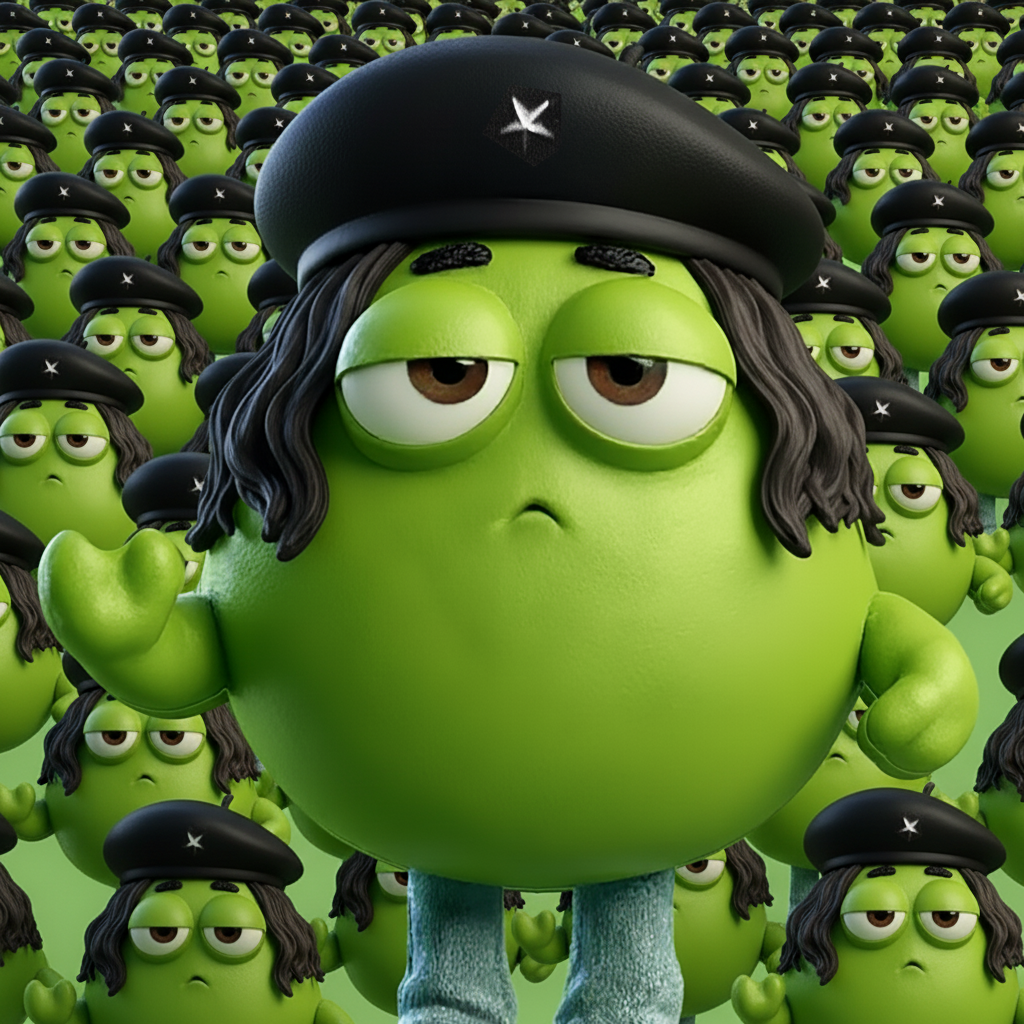
×19

Swampie

#221
RedStack of 19
×6

Swampie

#221
RedStack of 6
×40

Swampie

#221
GreenStack of 40

Swampie

#221
RedSingle
Different variants never share a stack. Merge and Combine only ever group the same variant.
06Inventory · merge scoped to one variantMerge only offers stacks of the same variant. The copy names the variant ("2 Red stacks"), so a Red and a Green stack are never offered as mergeable.

Merge stacks

✕
×19
Swampie #221 Red
Stackable · Red variant

You hold 2 Red stacks of Swampie #221 — fold them into one.

Red stack A×19
Red stack B×6
After merge×25
07Inventory · combine multi-select (variant-scoped)Select mode: only same-variant copies are eligible. The Green stack is greyed as ineligible while Red is the active selection — the bulk bar names the variant.
My Tokens
k1m9…7uvw
Wallet · select

My Tokens.

Combine identical Red copies into one stack.

3 selected Swampie #221 · Red · identical & unlocked
×19

Swampie

#221
RedStack of 19
×6

Swampie

#221
RedStack of 6

Swampie

#221
RedSingle
×40

Swampie

#221
GreenDifferent variant
Only identical, unlocked copies of the same variant can be combined. Other variants (and listed copies) are ineligible and greyed.
08Minting · Review — default not set (gate)A token with variants can't be set live / minted until its default is chosen. Set-live and Mint are disabled until then. V1 mints the default only.
Studio/Swampies/Tokens/Review · Swampie #221
Auto-saves
Collection · Review token

Review.

Set the default variant to unblock minting.

Review

Mint

Has variants
Default variant not set. Only the default variant is minted in V1 — choose which one.
Default variant
Red
Green
09Minting · Review — default set (mint enabled)Default is Red. Mint produces Red copies only; quantity validates against the one whole-token cap shared by all variants. Non-default variants stay authored but unminted in V1.
Studio/Swampies/Tokens/Review · Swampie #221
Auto-saves
Collection · Review token

Review.

Mint the default variant.

Review

Mint

Default set
Default variantRed  ·  locks at Live
of 50 — shared cap across all variants (38 minted).
Minting8 × Red
After mint46 / 50
V1 mints the default variant only. Green is authored now and becomes mintable when non-default minting opens up.
★Deferred changes — apply when variants shipThe behaviour is already in the spec. These EXISTING mocks must be made variant-aware too, before / alongside variants. Parked here so they don't get forgotten when variants land.
Already done (spec): token-system-design.md carries the variant model, default_variant + mint gate, Combine-into-Stack, Transfer-Amount, and the "variant is identity" rule. The boxes below are the matching UI / mock updates still to make.
supply-states-gallery Token / supply config
Add the Stack classes (variants) editor + default-variant radio to the Stack behaviour block. Available in both stack modes. (See frames 01–04.)
token review / mint mock Review & minting
Default-variant gate: block Set-live / Mint until a default is set; mint the default variant only, against the shared whole-token cap. (See frames 08–09.)
Draft → Review blocked when variants exist and no default is chosen.
my-tokens Wallet
Tokens grid + detail: show a variant badge on stacks and singles; add a variant filter (All / Red / Green). (See frame 05.)
Frame 13 Stack actions → Merge: name the variant ("2 Red stacks"); offer same-variant stacks only.
Frame 14 Combine & compact: eligibility copy "identical Red copies"; grey off-variant copies; bulk bar names the variant. (See frames 06–07.)
manage-minted Creator minted inventory
Minted grid: variant badge; group / filter by variant.
Frame 07 Stack actions → Merge: variant-named, same-variant only.
Bulk Compact stacks: compacts per variant; variant-named.